
How it works
A day with Wyfy Guest, from your side of the counter.
Not another feature list: a real look at the actual dashboard, for the kinds of places that run it: hotels, PGs, cafes and restaurants, co-working spaces, colleges, and libraries. Every screenshot below is a real photo of the live product, not a drawing.
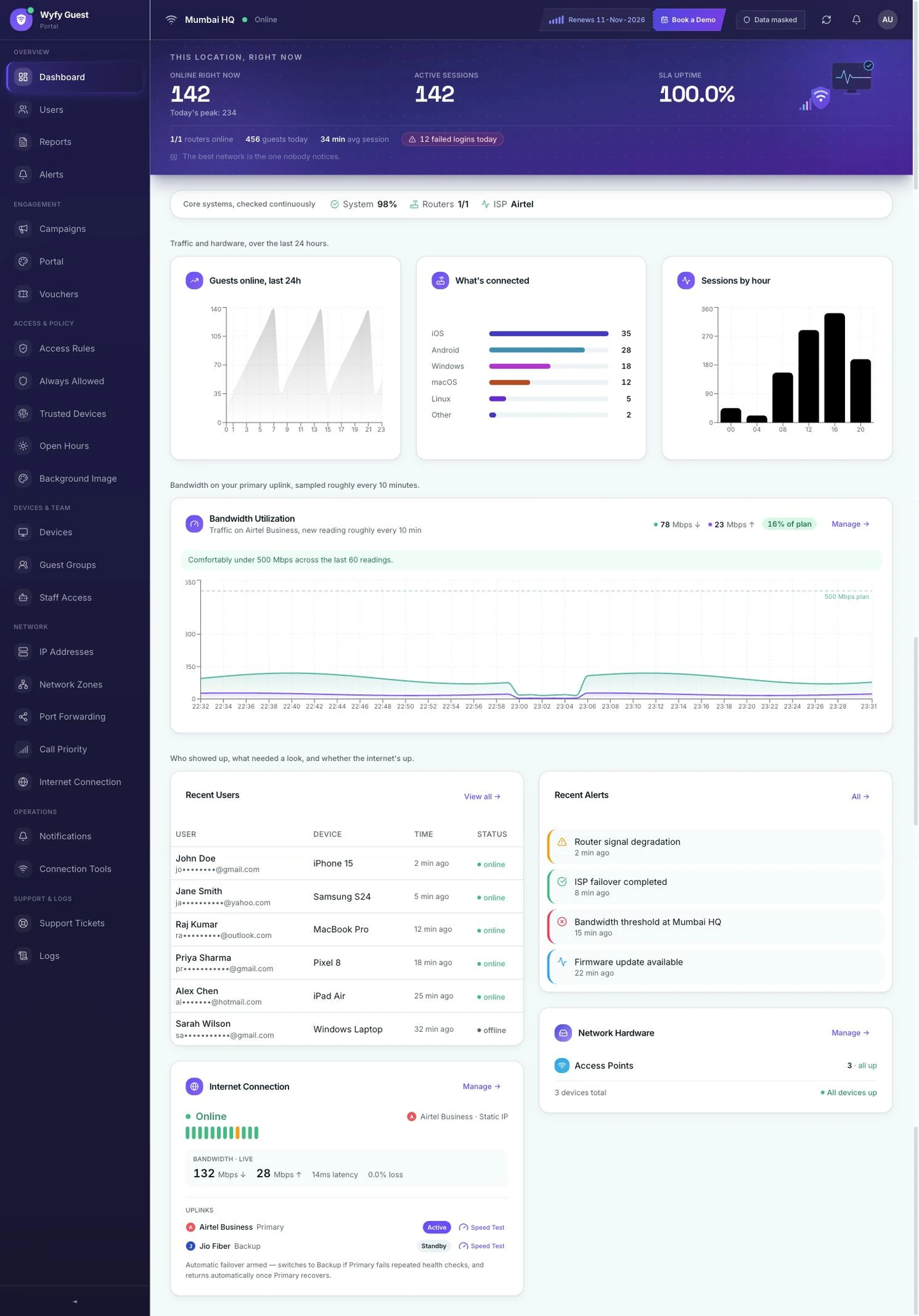
This is the real Wyfy Guest dashboard, not a drawing. Guests online in the last 24 hours, what kind of device they used, busiest hours, and internet health, all on one screen.
01 · Hotels & PGs
Marina Bay Hotel doesn't run one WiFi network. It runs one per floor, one per department, and a front desk that needs to give a guest working WiFi in ten seconds, not read out a password nobody trusts.
Devices
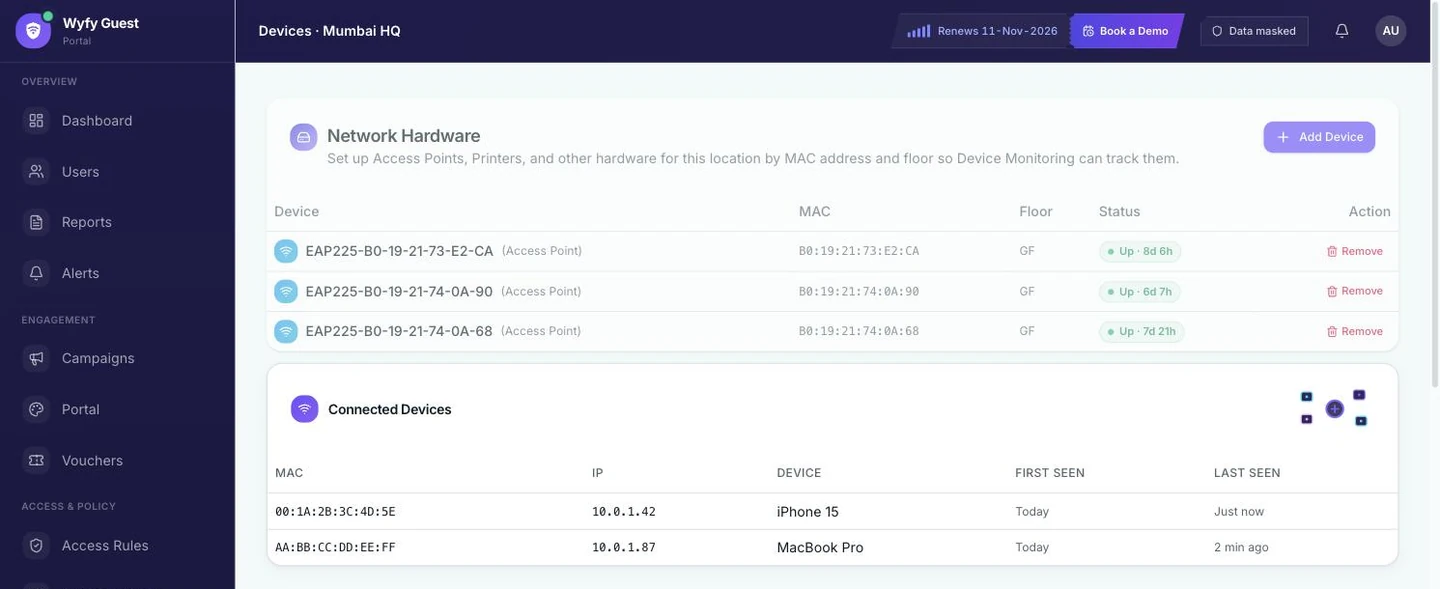
Every floor has its own record: nothing left to guess
You add each real device, like an access point on the 2nd floor, another in the lobby, or the front-desk printer, and tag it with the floor it's on. The Devices page shows exactly which ones are working and which have gone quiet, and the same info shows up on your main Dashboard too, so you don't have to go looking for it.
Portal
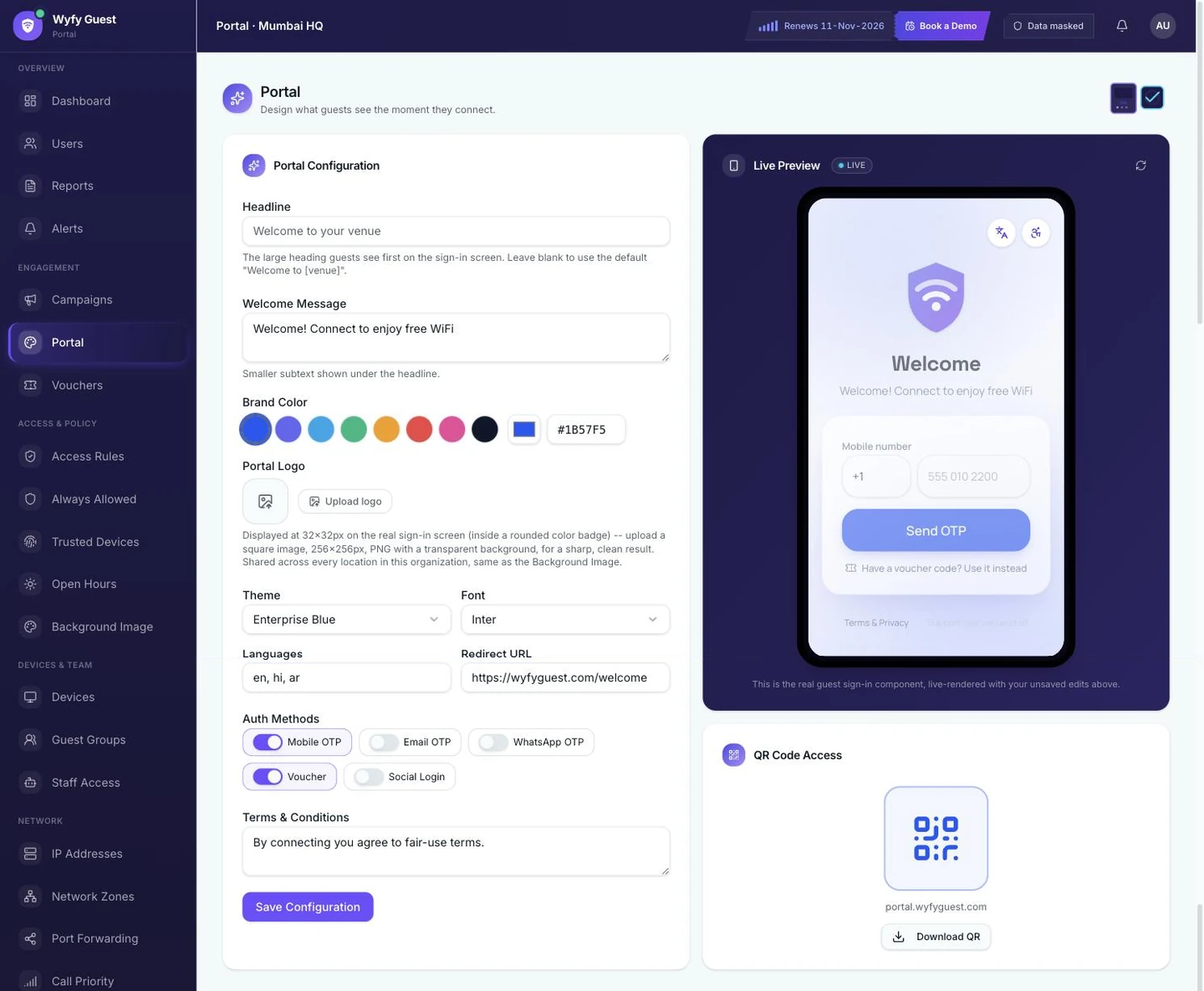
The screen a guest sees carries your name, not the router's
The login screen guests see on any floor is set up in Portal: your headline, welcome message, brand color, and logo, with a live preview on an actual phone as you make changes. You also choose how guests log in: this property uses OTP for guests who'll be back, and a voucher code for the ones who won't.
Vouchers
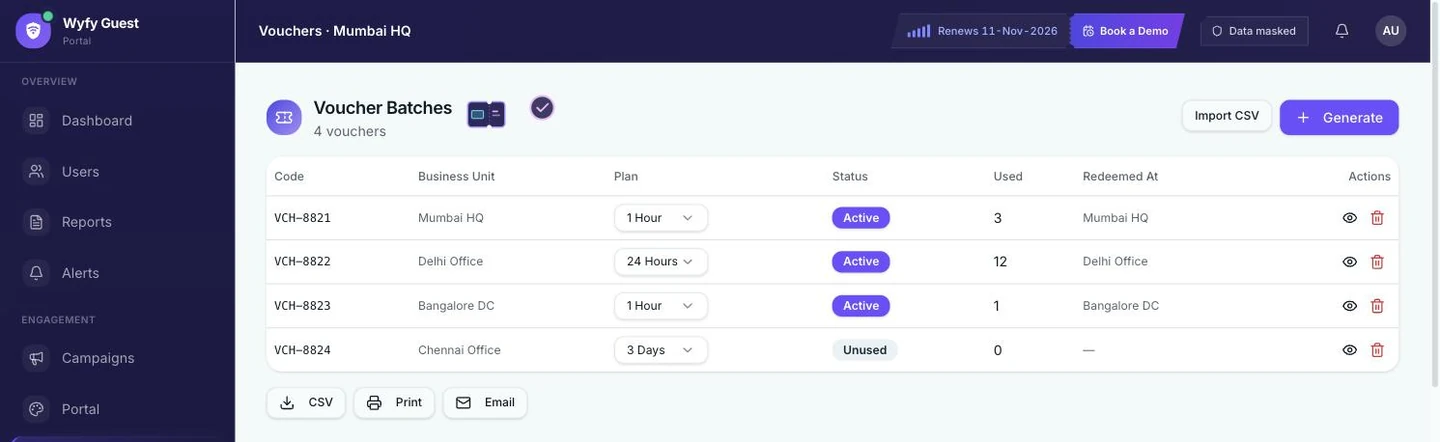
A walk-in guest gets a code, not a WiFi lecture
For a one-night guest, or a group booking that needs forty logins by 9am, you create a batch of vouchers that work for a set time (an hour, a day, three days) instead of setting up an account for someone you'll likely never see again. Every batch shows exactly how many codes were used, and by whom.
Website Blocking
Some websites just shouldn't load on your guest WiFi
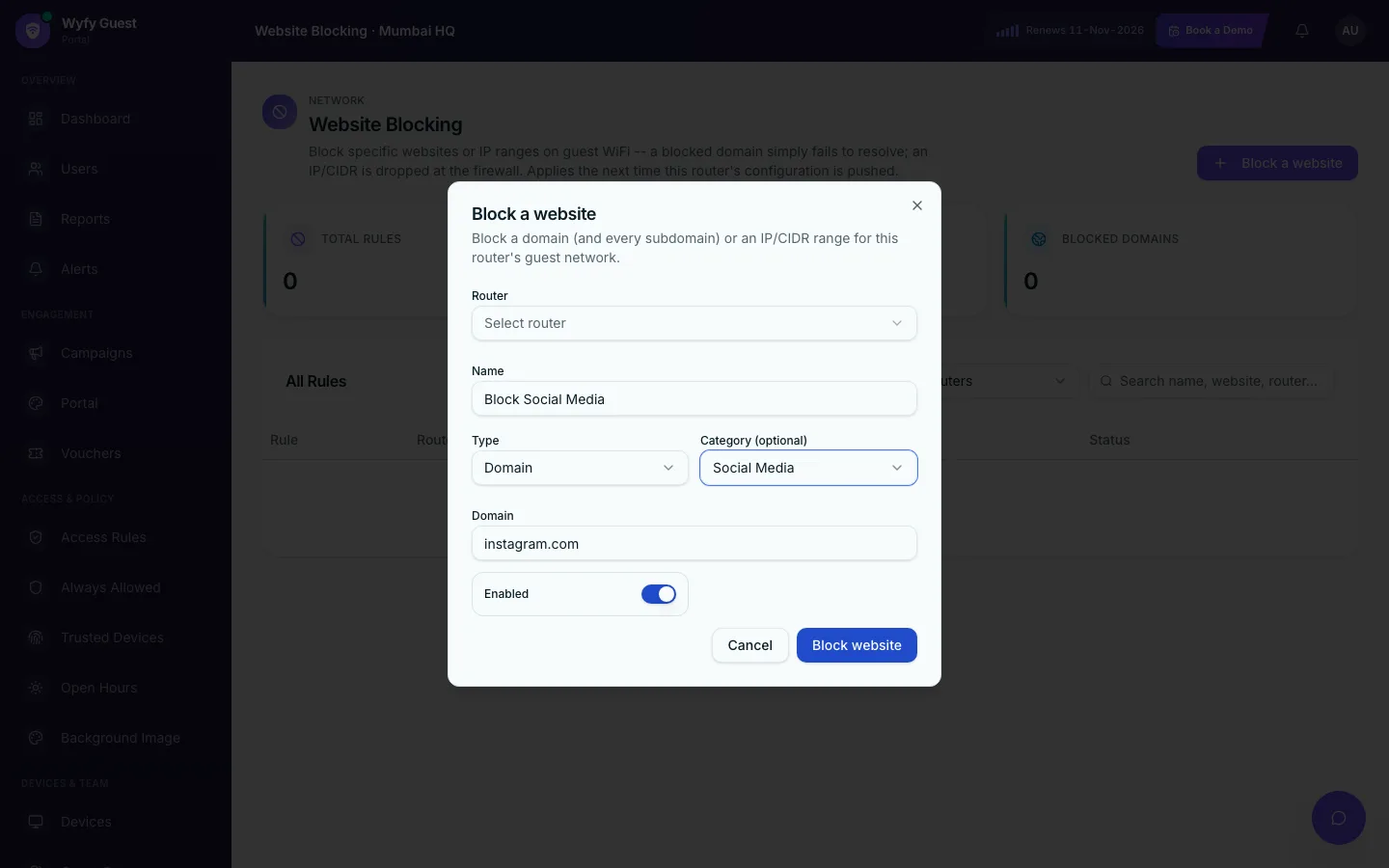
A PG full of students, or a hostel with a shared common-room network, usually wants a few specific sites off-limits: a gambling site, a known-bad domain, a whole category like adult content. Type in the domain (or a whole IP range), pick a category if you want one, and it's blocked for every guest on that router. No proxy, no guest device slowdown; the site simply stops resolving.
One thing front desk still can't see: a guest's actual phone number. It's hidden everywhere in the dashboard by default. Showing it needs a real one-time code sent to the account owner, not a setting anyone can just switch on.
02 · Cafes & restaurants
Eastside Cafe doesn't need someone technical on call. It needs WiFi that behaves like the espresso machine: on when the doors are open, off when they're not, and not something anyone has to remember.
Open Hours
WiFi turns off with the lights, on its own
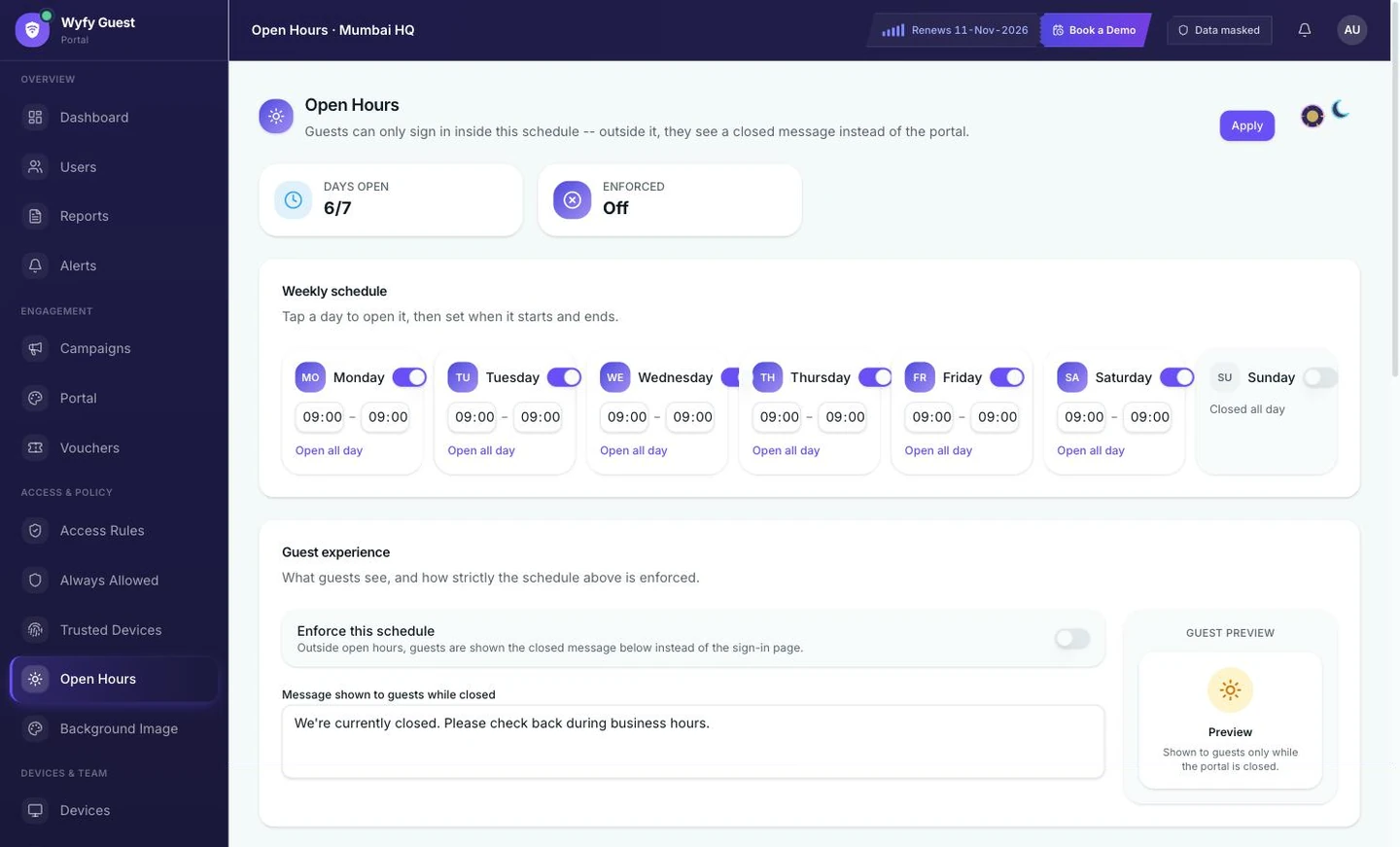
Open Hours is a real weekly schedule: turn each day on or off and set the exact opening and closing time. Outside those hours, guests see a "we're closed" message instead of a working login screen. Nobody has to remember to switch anything off at close.
Access Rules
One laptop camping out doesn't slow down the whole room
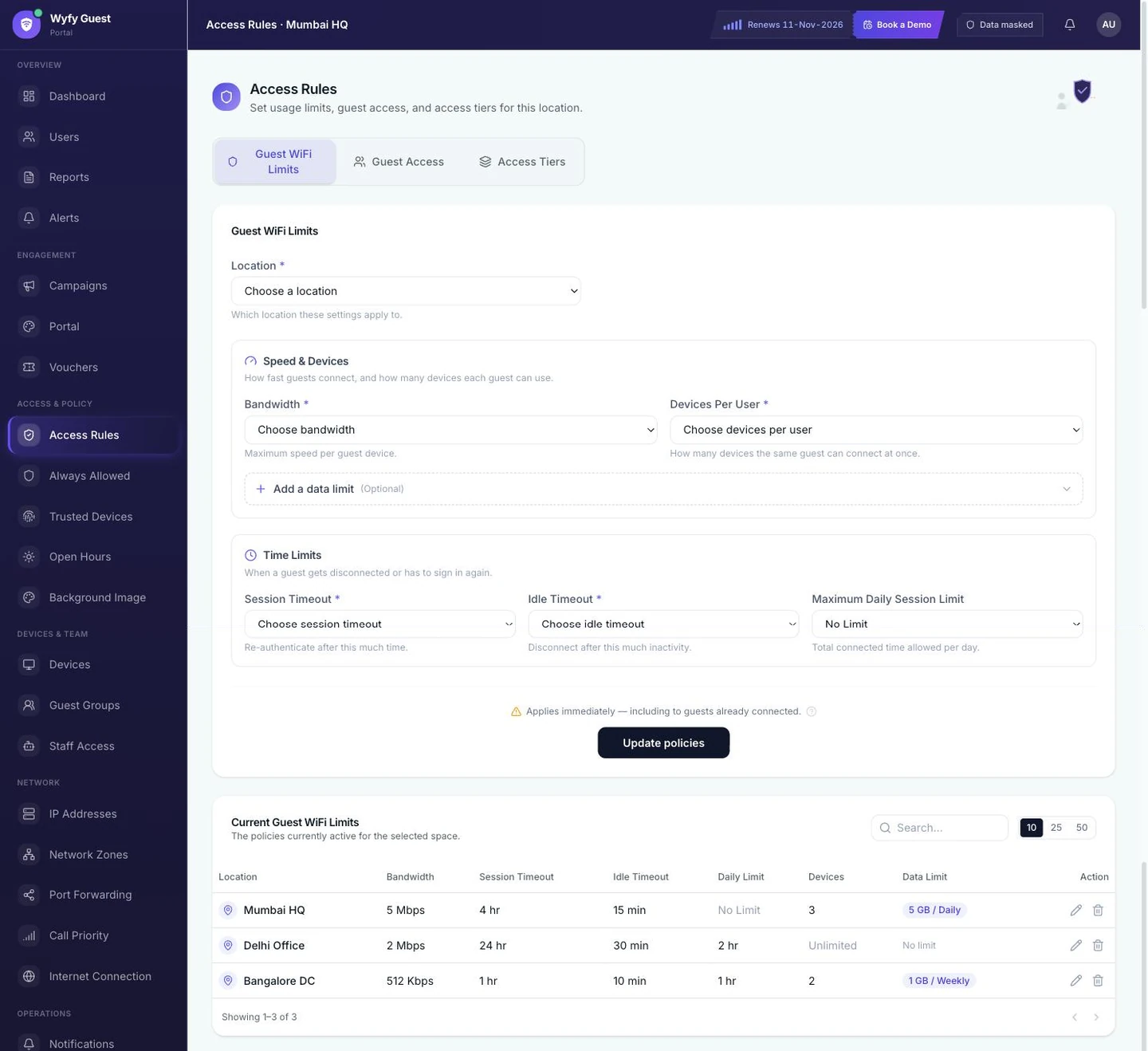
Guest WiFi Limits has two simple parts: a speed limit and a device limit per guest, and time limits (how long a session lasts, and an optional daily limit). Set them once per location, and every guest who logs in gets the same fair share, instead of whatever's left over.
Hidden guest info
You can see who's online without seeing their number
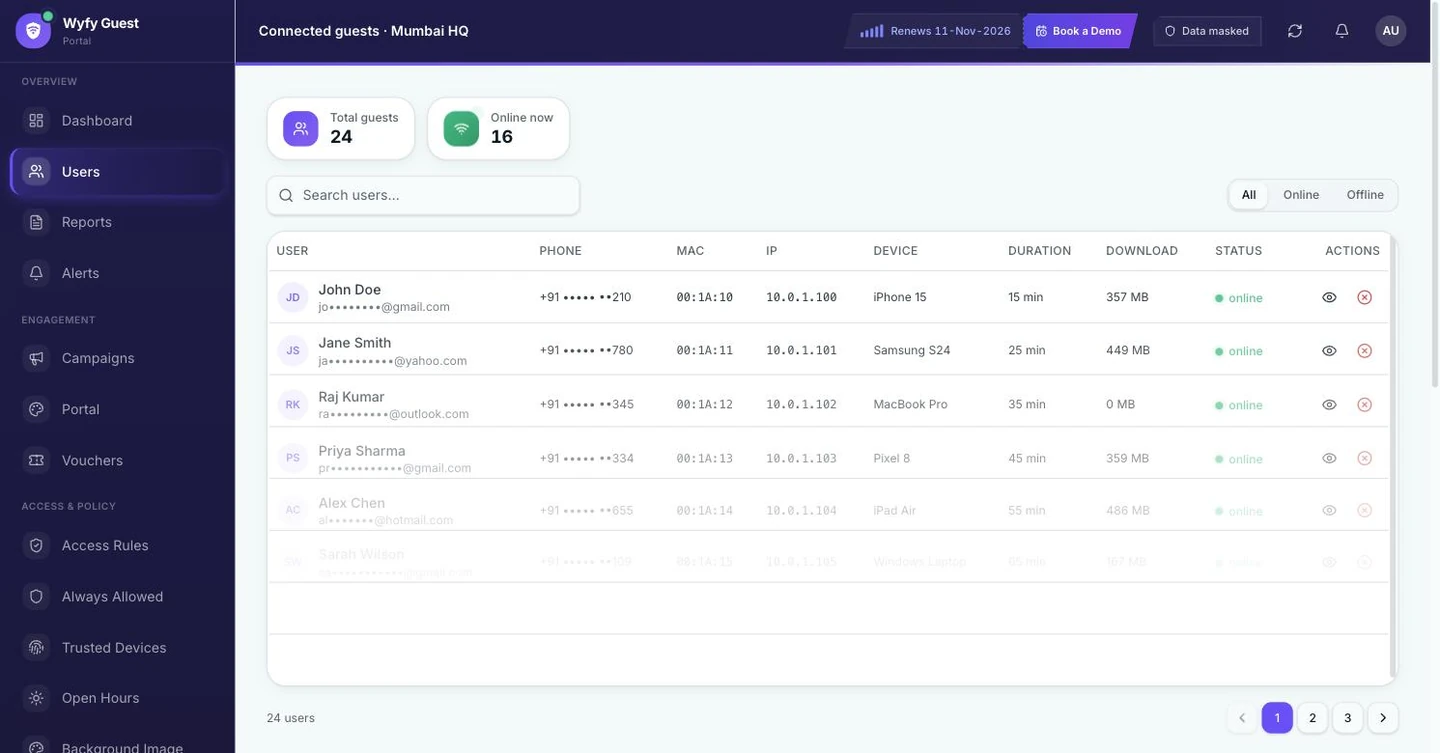
The connected-guest list shows who's on, which device, for how long, and how much data used, with phone numbers and emails hidden by default, same as everywhere else in the dashboard. Whoever's behind the counter checking who's using the WiFi doesn't end up holding a list of guest phone numbers by accident.
Login itself is the same Portal setup a hotel front desk uses. This cafe just leaves vouchers off and keeps OTP as the one tap between a guest and their coffee. Same feature, different switch.
03 · Co-working spaces
Downtown CoWork has forty desks, a few membership types, and a landlord who wants a straight answer about uptime, not a guess.
Guest Groups
Forty members become three groups, not forty separate logins
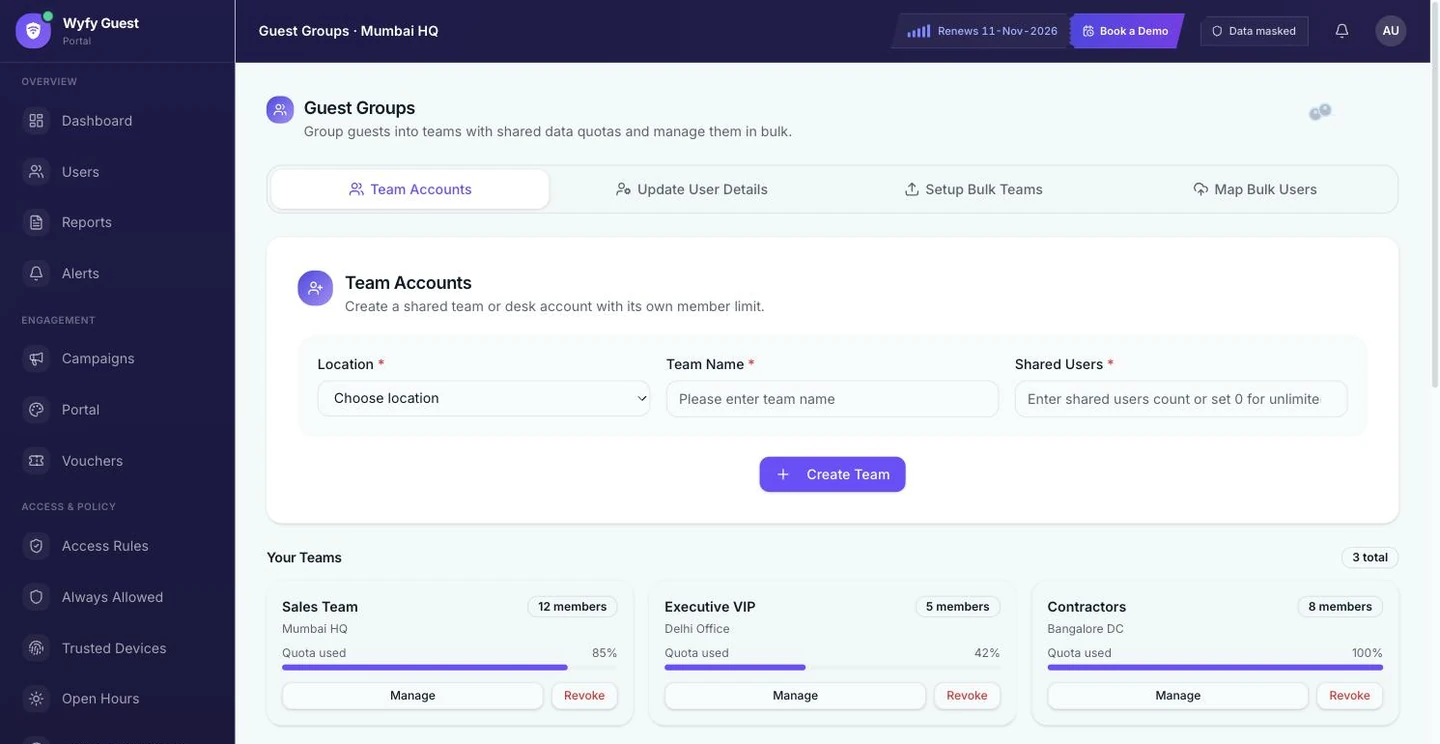
Guest Groups let you set up a team, such as Sales Team, VIP Members, or Contractors, each with its own shared data limit and member count, instead of managing every single person separately. A bar on each group shows exactly how much of that shared limit is already used.
Staff Access
Your front-desk hire can't touch the network settings
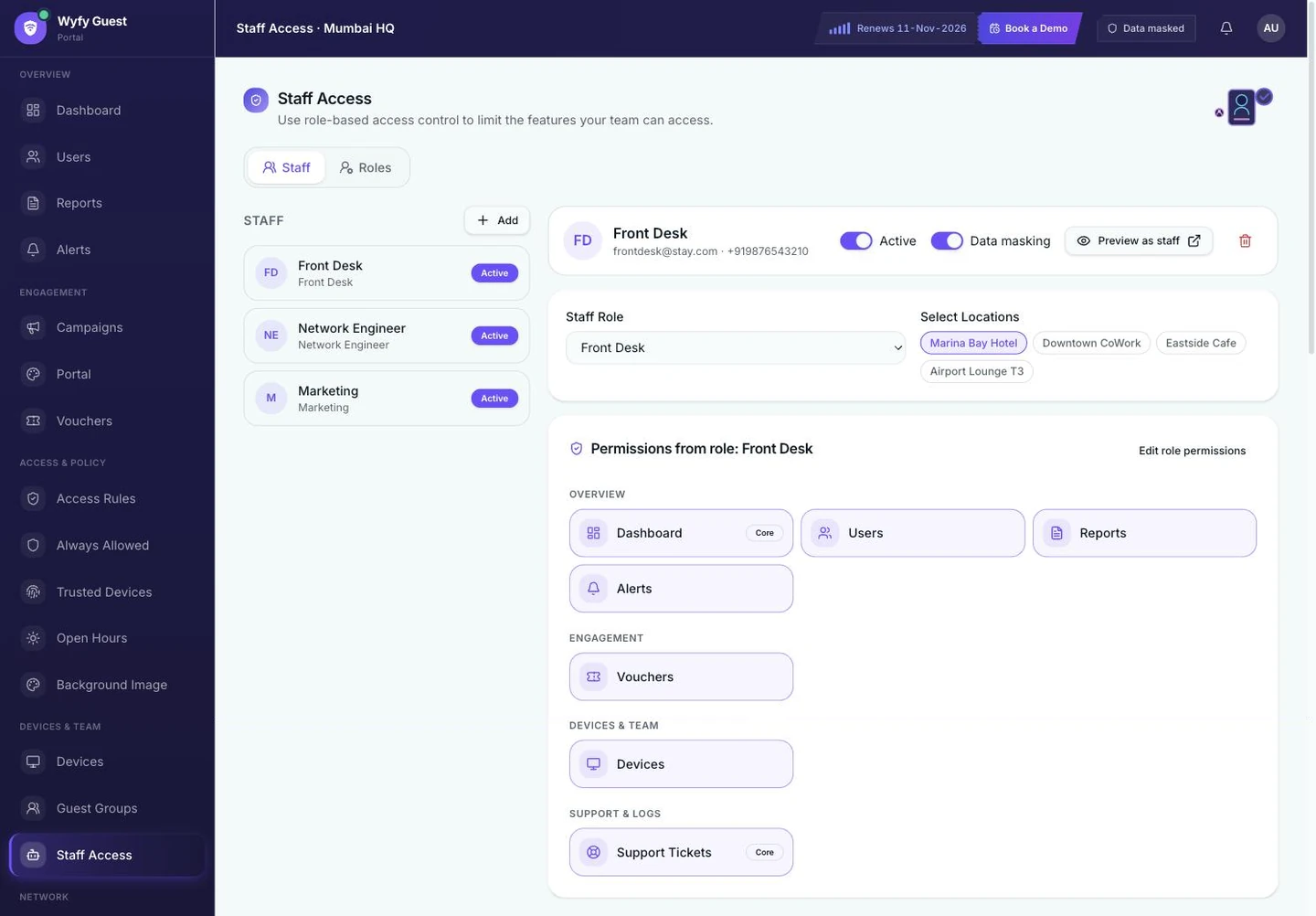
Staff Access gives each person a role, such as Front Desk, Technician, or Marketing, and access to only specific locations, so someone hired to check members in at Downtown CoWork doesn't also get control over phone-call priority or backup internet at a property across town. Hiding guest info is its own separate switch too.
Reports
A report you can actually hand the landlord
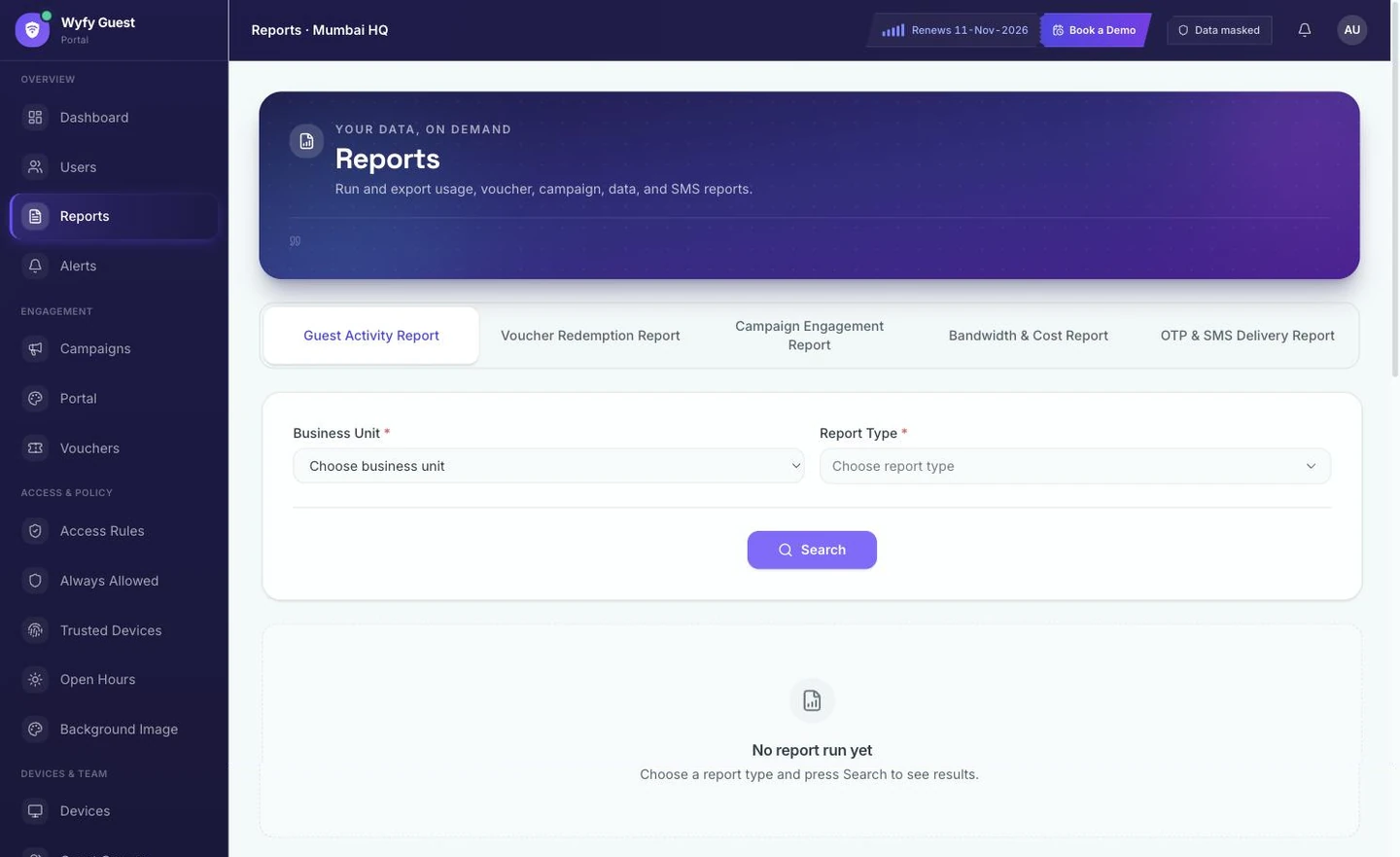
Reports gives you real guest activity, voucher use, and internet cost, as an actual document, not a dashboard screenshot you have to explain in a meeting. Pick the location and the report type, run it, and it's ready to hand over.
The same backup internet that keeps a hotel guest's video call running keeps a member's work call running here too: Internet Connection shows live speed and connection quality per line, and switches to backup on a real, consistent problem, not one bad moment.
See your own venue's dashboard, not a slide deck.
Book a 30-minute demo. We'll set up your sign-in methods, your Access Rules, and your first voucher batch live, on your own router.

